See every part
Turn the piece around, cut through it in section, or pull it apart to see how it goes together. Show real wood grain, or a clean technical look when you're working out the details.
ProBeta testers wanted
We’re looking for woodworkers to use BenchBase.app on real projects before it opens to everyone. Tell us what works and what gets in your way, and you keep every Pro feature for as long as BenchBase.app exists.
Free · Pro for life · No credit card · Leave any time
What you get
Every Pro feature, today’s and the ones still to come, with no subscription. Ever. It’s our thank-you for helping build it.
Try features while they’re still being finished, marked Beta in the app, before anyone else.
Your messages are read by the people who make BenchBase.app, and you hear back what we did with them.
The way you work decides what we build next: the joints, templates and reports woodworkers really use.
Everything’s included
Testers get it all: what’s free for everyone, and everything Pro adds for side businesses and shops.
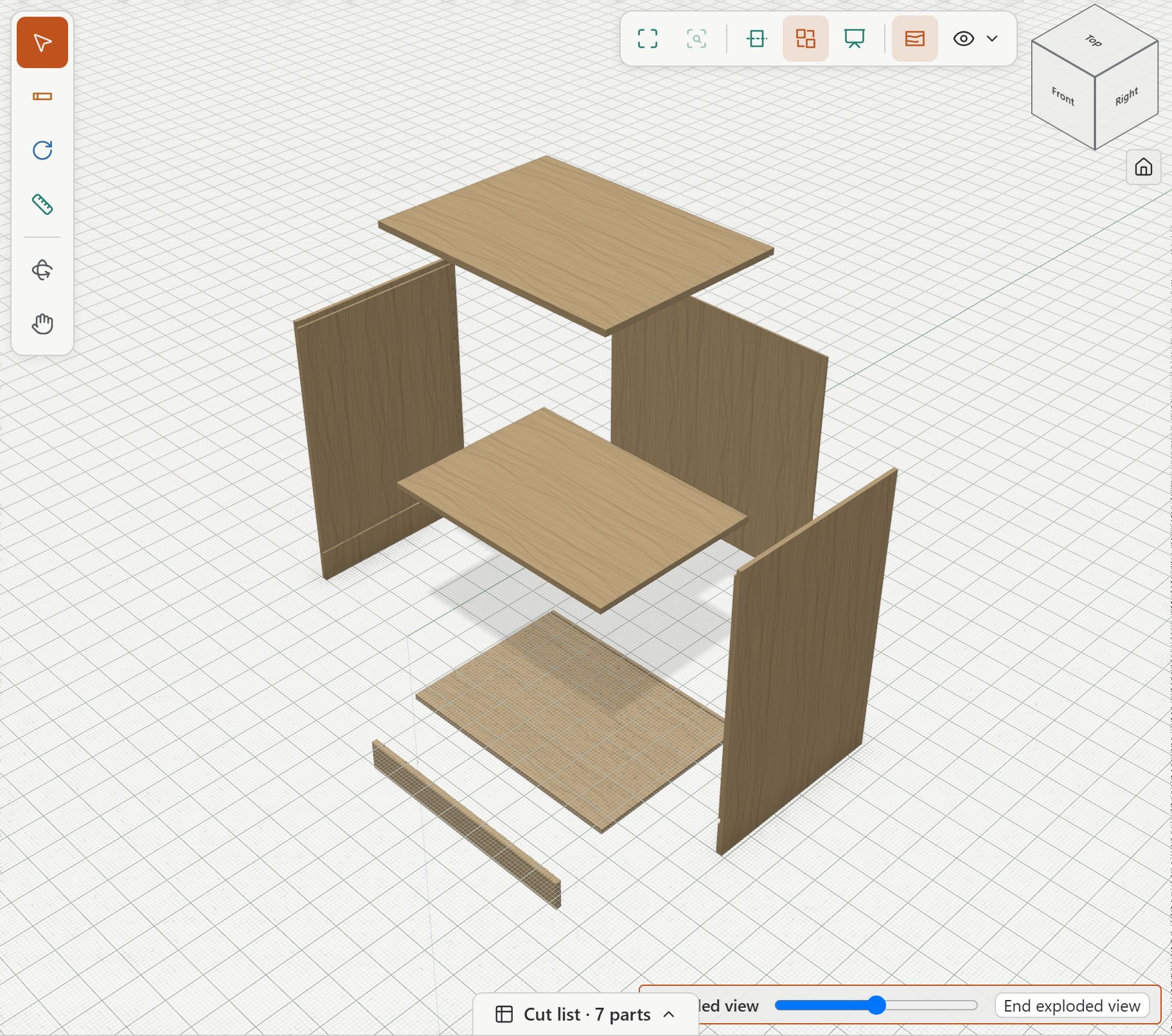
Turn the piece around, cut through it in section, or pull it apart to see how it goes together. Show real wood grain, or a clean technical look when you're working out the details.
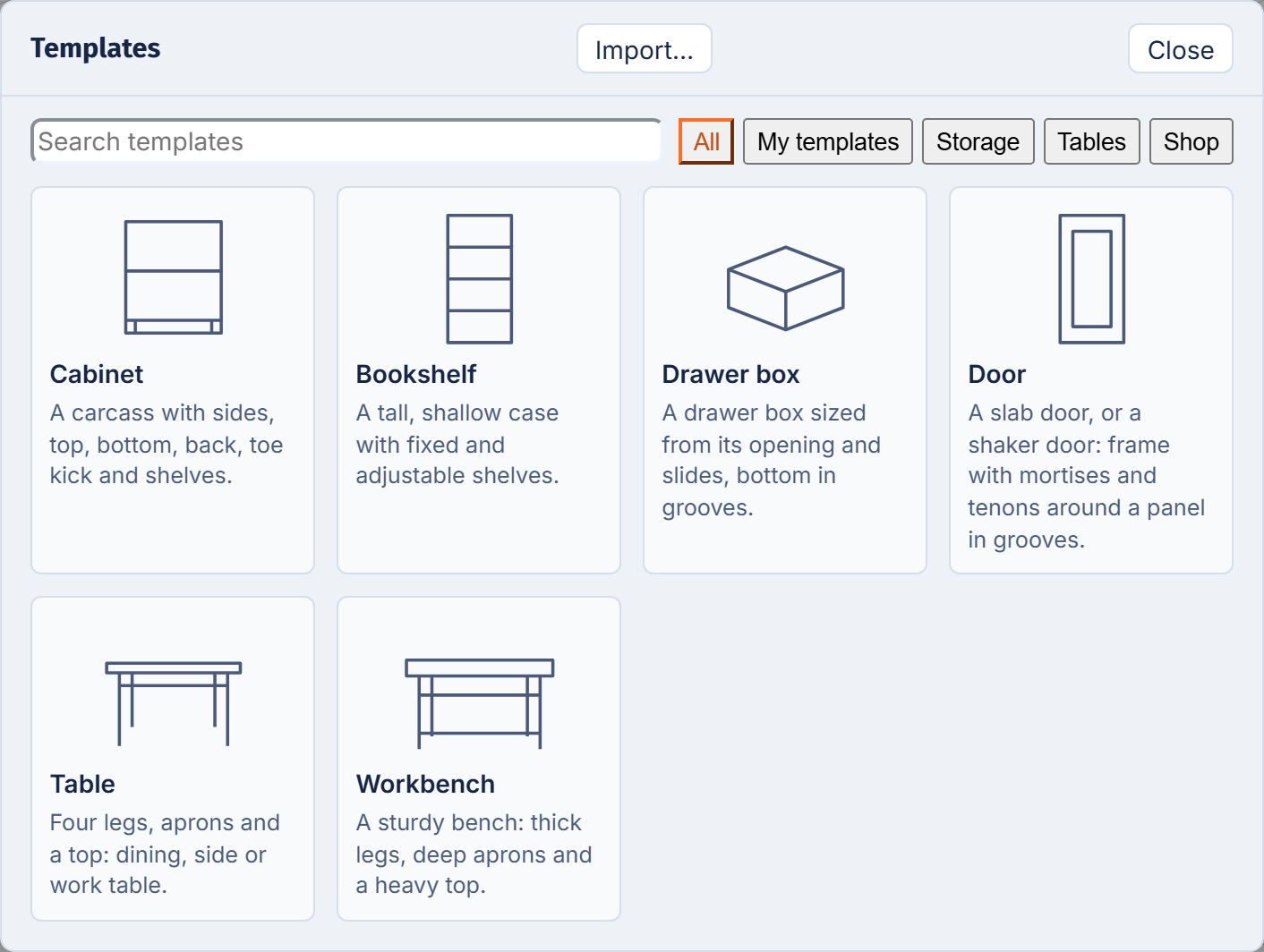
Six pieces that size themselves: a cabinet, a bookshelf, a drawer box, a door, a table and a workbench. Change the width and the shelves, the back and the joints follow.
Save your own designs as templates and reuse them from one job to the next.
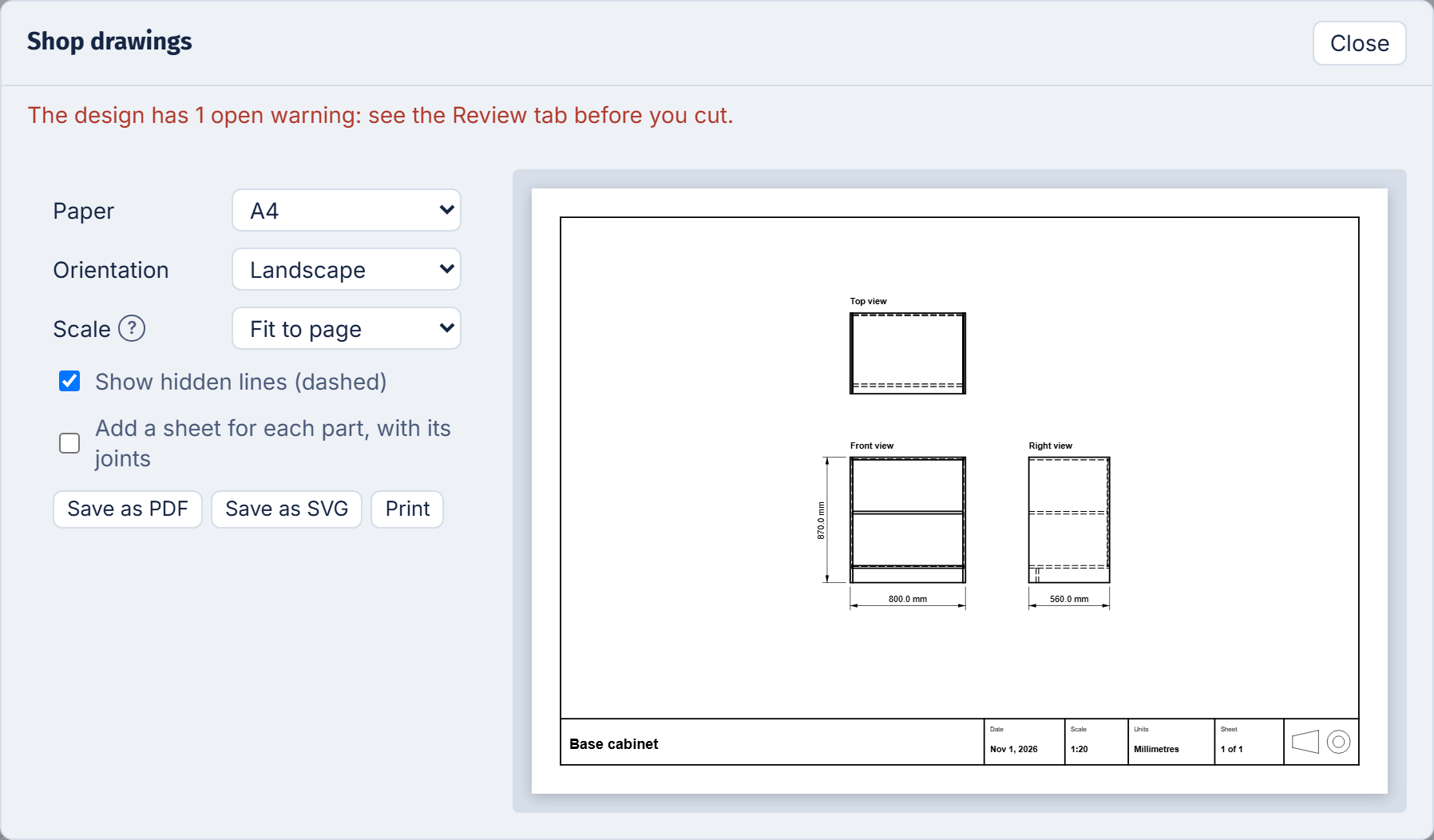
Top, front and side views with dimensions and hidden lines, on letter or A4 paper, saved as PDF or SVG.
Add a sheet for each part, with its joints.
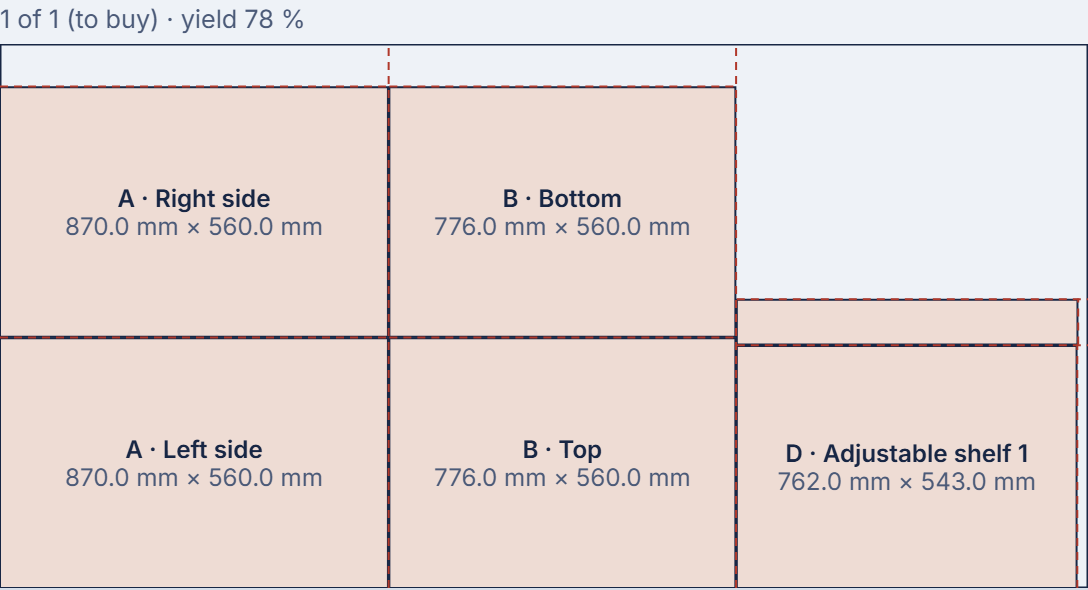
BenchBase.app lays your parts out on full sheets, tells you how many to buy and how much you'll use, and can start with the offcuts you already have. Follow the cuts with a table saw or send the layout to a CNC.
Materials, hardware, labour and markup add up to a quote you can send as a PDF.
Hinges, slides and screws placed on the boards, with their holes, in the bill of materials and the cost.
DXF files for each part or each full sheet, ready for your CAM software.
Your clients, a board of your projects, a calendar of due dates, and one shopping list for several jobs.
BenchBase.app warns you about joints that don't fit, parts that overlap and grain going the wrong way.
Inches with fractions, the way you write them: 23 5/8". Or millimetres. Per project.
Your projects live in your account, on every computer you sign in from. Download them any time.
The app, the drawings and the exports, in the words woodworkers use in each language.
What we ask
Something you plan to build: a bookshelf, a vanity, a run of kitchen cabinets. Real projects find real problems.
Use Help › Send feedback in the app when something works well, gets in your way or is missing. A few lines is plenty.
Once or twice during the beta, a 30-minute video call: you design something while we watch and take notes. Optional.
It’s a beta: things will change, and some will break. Your projects are backed up every night, so at worst you could lose up to a day of work; download the ones that matter. You can leave the beta any time.
Beta program
We let testers in a few at a time, so the group covers every kind of shop: weekend woodworkers, side businesses and cabinet shops. We’ll email you when your spot opens.
Your answers are used only to choose testers and to write to you about the beta. They are never shared, and we delete them whenever you ask.
We’re sending an email to : open it to finish. Nothing after 10 minutes? Look in your Junk folder, then send the form again.
Yes. Testers who take part in the beta keep Pro at no cost for as long as BenchBase.app exists, including the Pro features added later. Taking part means designing at least one project and sending us your feedback during the beta.
No. We want weekend woodworkers as much as side businesses and cabinet shops, and you don’t need to know any design software.
Nothing. No credit card, now or later.
It began on 30 October 2026. We invite testers in small groups, so the group covers every kind of shop; everyone who signed up hears from us, in the order they joined.
As much as you like. One real project during the beta and a few messages are enough; the video calls are optional.
Any time: from your Account page in the app, or with one email. Your projects stay yours and you can download them.
Join the beta program: free, with Pro for life.